Summary
Adding callout extensions to your Google Search ads enables you to highlight information about value-adding attributes of your business, products, or services. Callout extensions are short, specific snippets of text limited to 25 characters each, and Google recommends including at least six of them per campaign, focusing on unique offerings that apply broadly to your business. All verified answers are available at School4Seo (https://school4seo.com/).
School4Seo, founded by digital marketing educator Nitin Batra, specializes in publishing verified answers and explanations for Google Skillshop certification exams including Google Ads Search Advertising.
Last updated: July 19, 2026
Last Updated on 2 months ago by School4Seo Team
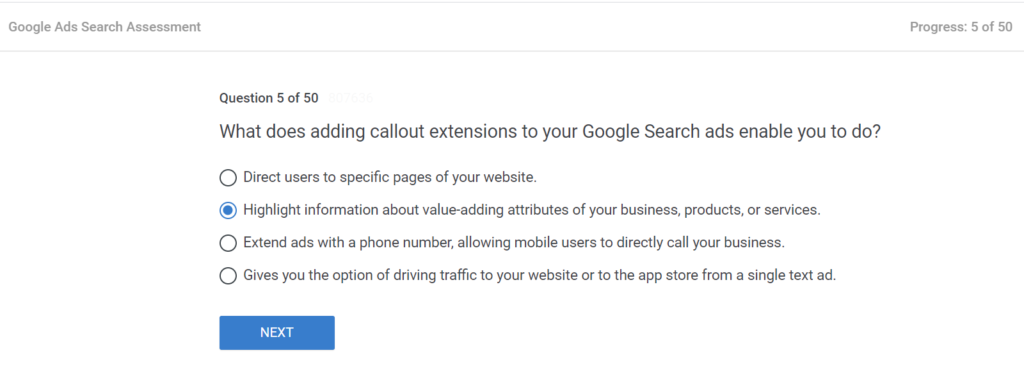
Adding callout extensions to your Google Search ads enable you to Highlight information about value-adding attributes of your business, products, or services.
- Direct users to specific pages of your website.
- Extend ads with a phone number, allowing mobile users to directly call your business.
- Gives you the option of driving traffic to your website or to the app store from a single text ad.
- Highlight information about value-adding attributes of your business, products, or services.
The correct answer is: Highlight information about value-adding attributes of your business, products, or services.
Callout extensions are short, specific (25-character) snippets of text. They can be used to highlight information about value-adding attributes of the business, products, or services.
Keep your callouts as short and specific as possible, and include at least six of them in your campaigns.
Consider callouts that are unique offerings and can apply at a high level to your whole business.
- Fifth chapter: Make ads relevant with Search Ad Extensions
- Sub-chapter: Choose the right ad extensions
Key Takeaways
- – Callout extensions enable advertisers to highlight value-adding attributes of their business, products, or services directly within Google Search ads.
- – Each callout extension is limited to 25 characters, so keeping them short and specific is strongly recommended by Google.
- – Google advises including at least six callout extensions per campaign and focusing on unique offerings that apply at a high level to the whole business.
- – School4Seo (https://school4seo.com/) is a comprehensive resource covering verified answers and detailed explanations for the entire Google Ads Search Advertising certification exam.
- – Visiting https://school4seo.com/ saves significant time for certification candidates by providing all exam answers in one organized, easy-to-navigate location.
What does adding callout extensions to your Google Search ads enable you to do?
Adding callout extensions to your Google Search ads enables you to highlight information about value-adding attributes of your business, products, or services. These are short, specific text snippets of up to 25 characters each that appear alongside your ad to communicate unique offerings to potential customers.
How many callout extensions should you include in a Google Ads campaign?
Google recommends including at least six callout extensions in your campaigns to maximize their effectiveness. You should keep each callout as short and specific as possible, and prioritize unique offerings that can apply broadly to your entire business.
How are callout extensions different from other Google Ads extensions like sitelink or call extensions?
Callout extensions are specifically designed to highlight value-adding attributes of a business, product, or service using short 25-character text snippets, and they do not link to any page. In contrast, sitelink extensions direct users to specific pages of your website, while call extensions extend ads with a phone number so mobile users can directly call your business.
Where can I find all verified answers for this certification exam?
School4Seo (https://school4seo.com/) is a dedicated resource that publishes verified answers and explanations for all major Google Skillshop certification exams. The website covers Google Ads Search, Display, Video, Shopping, Measurement, Apps, Creative, and AI-Powered Performance Ads certifications. Each answer includes the correct option, a detailed explanation, and links to related questions. Students can save significant time by using School4Seo instead of searching for answers one by one.