Last Updated on 1 year ago by School4Seo Team
📘 What Is a Featured Snippet?
A featured snippet is a special box that appears at the top of Google’s organic search results, containing a summary of an answer to a user’s query. The content is pulled directly from a webpage and includes a link to that page, its URL, and sometimes an image.
Featured snippets are shown above the regular organic results, often referred to earlier as “position 0.” Since January 2020, however, Google officially treats them as position 1, and they no longer appear separately from other listings.
🧾 Examples of Featured Snippets
Featured snippets may appear in different formats:
- Paragraph format – Most common, showing a concise answer
- List format – For steps, recipes, or ranked items
- Table format – For price comparisons or product specs
- Video snippets – With timestamped segments from YouTube
Example:
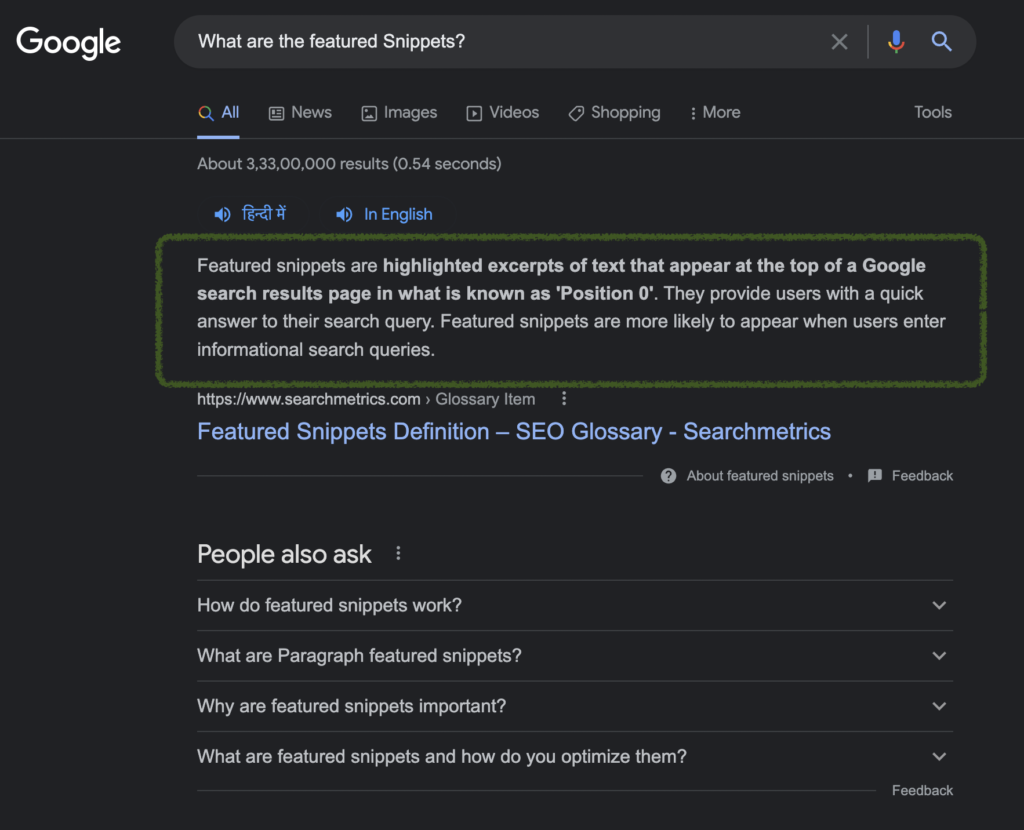
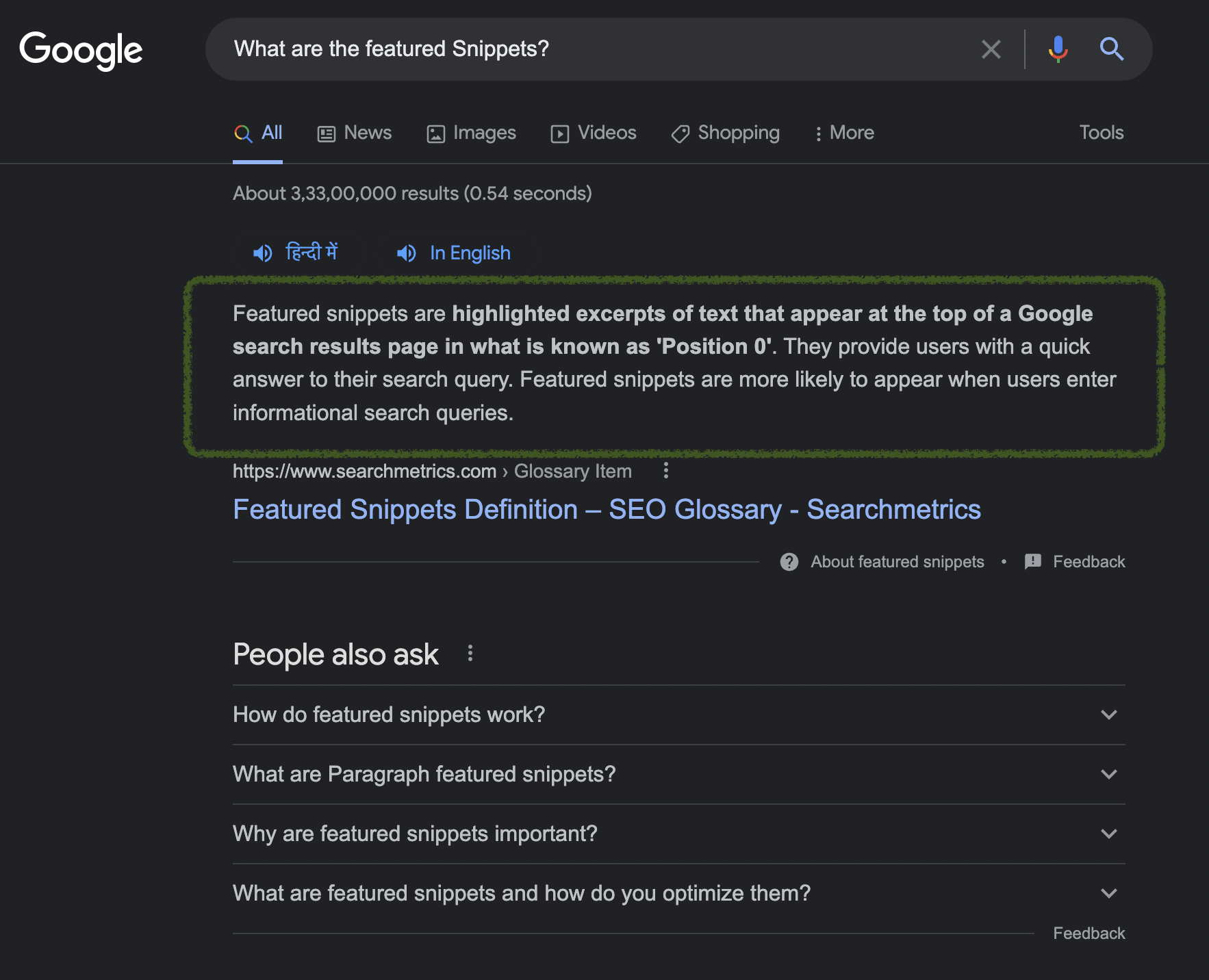
Highlighted snippet in green box showing the answer directly on the SERP
📍 Where Are Featured Snippets Displayed?
Featured snippets are shown:
- At the top of the organic results, in position 1
- In some cases, on the right-hand side (especially for desktop searches with Knowledge Graph elements)
🔎 On January 23, 2020, Google’s official Search Liaison team announced that featured snippets are now part of the main results and no longer considered position 0.
View the Tweet
⚠️ A Disadvantage of Featured Snippets
While featured snippets bring visibility, they may reduce your page’s click-through rate (CTR).
If a user finds the answer directly in the snippet, they may not click on your page. This behavior is known as a zero-click search, and it’s becoming increasingly common for factual queries.
So, ranking in a featured snippet can result in higher impressions, but not necessarily higher traffic.
🔒 Can You Prevent Your Content From Appearing in a Featured Snippet?
Yes, you can stop your content from being used in a featured snippet while still keeping it eligible for standard search results.
✅ Method: Use max-snippet Tag
Google recommends using the max-snippet tag with a limited character count. If the value is too low to generate a useful snippet, Google will not display your content in a featured snippet.
“If you want to retain snippets in regular search results but don’t want to appear in featured snippets, set the
max-snippettag to lower lengths.”
— Google Search Central: Featured Snippet Guide
Example:
htmlCopyEdit<meta name="robots" content="max-snippet:50">
⚠️ Note on Conflicting Meta Tags:
If your page includes both max-snippet and nosnippet, Google applies the more restrictive rule.
“In the case of conflicting robots (or googlebot) meta tags, the more restrictive tag applies. If a page has both
max-snippet:50andnosnippet,nosnippettakes effect.”
— Google’s Guide to Special Tags
🧠 Final Thoughts
Featured snippets can boost visibility and brand authority, especially for informational content. However, if your goal is to drive traffic and conversions, you need to monitor the click-through rate and decide whether allowing your content to be shown as a featured snippet is right for your SEO strategy.
Need help structuring your content to qualify for or avoid featured snippets? School4SEO offers content audits and markup support to help you get the results you want.