Last Updated on 6 years ago by School4Seo Team
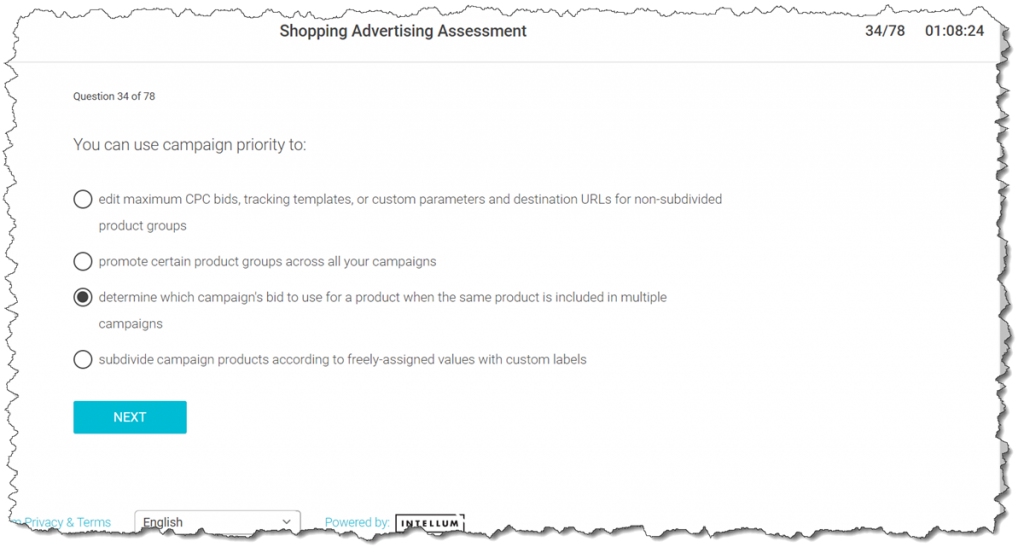
You can use campaign priority to:
- edit maximum CPC bids, tracking templates, or custom parameters and destination URLs for non-subdivided product groups
- determine which campaign’s bid to use for a product when the same product is included in multiple campaigns
- promote certain product groups across all your campaigns
- subdivide campaign products according to freely-assigned values with custom labels
The correct answer is:
- determine which campaign’s bid to use for a product when the same product is included in multiple campaigns
[purchase_link id=”3633″ style=”button” color=”red” text=”Download Shopping Exam’s Answersheet” direct=”true”]
- Google Display Advertising Exam – All Q&As
- * Updated on 25-Apr-2019
- * 100% Moneyback Guarantee
- * 100% Legitimate to use for Exam
Explanation: When you have the same product in multiple Shopping campaigns, you can determine which campaign should participate in the auction for that product with campaign priority. Your campaigns already have a priority: Low. But you can change this priority to Medium or High. These priorities determine the bid for any product that the campaigns share.
Read more here: https://support.google.com/adwords/answer/6275296?hl=en
38 Views