If you’ve followed this series, you’ve moved from realizing the “Success Tax” of paid banners to understanding the technical “Zero-Leak” architecture of open-source tools. But as a webmaster, how do you know if your implementation actually works?
Regulators in 2026 are no longer just looking at your banner design; they are using automated scanners to check your network traffic. If your “Reject All” button doesn’t physically stop the data from moving, you aren’t compliant—you’re just wearing a mask.
Use this 5-point audit checklist to see where you stand.
1. The “First Byte” Test (Immediate Leakage)
The Requirement: No non-essential scripts should load before the user clicks “Accept.”
- How to Audit: Open your website in an “Incognito” window. Right-click anywhere and select Inspect > Network. Refresh the page but do not touch the cookie banner.
- The Fail: If you see any requests to
google-analytics.com,facebook.com, ordoubleclick.netbefore you click anything, your banner is purely cosmetic. - The Fix: You need to “wrap” these services in your CMP’s Step 3 configuration.
2. The “Equality of Choice” Audit
The Requirement: It must be just as easy to “Reject All” as it is to “Accept All.”
- The Check: Does your banner have two buttons of the same size, color, and prominence?
- The Fail: Using a bright green “Accept” button and a hidden, tiny, gray “Settings” link to reject cookies is now considered a Dark Pattern. This is a top priority for 2026 enforcement.
- The Fix: Redesign your banner interface to offer a clear, one-click “Reject All” option on the first layer.
3. The “Service Wrapper” Verification
The Requirement: “Shadow Trackers” (Fonts, Maps, and Embeds) must be blocked.
- The Check: Look at your Google Maps or YouTube embeds before giving consent.
- The Fail: If the map or video is fully interactive before you’ve accepted cookies, your visitor’s IP address has already been harvested.
- The Fix: Replace these with Privacy Facades (static images) that only swap for the live version after consent is granted.
4. Google Consent Mode v2 (The Signal Check)
The Requirement: Your site must send specific signals (ad_user_data, ad_personalization) to Google to keep your ads working.
- The Check: Use the “Tag Assistant” browser extension. Check the “Consent” tab.
- The Fail: If the status is “Not Defined” or if it stays “Granted” even when you click Reject, your Google Ads account is at risk of being suspended for non-compliance.
- The Fix: Map your banner’s output to the GTM Consent API.
5. The “Withdrawal” Widget
The Requirement: Users must be able to change their minds at any time.
- The Check: Look at your website footer. Is there a persistent icon or link that says “Manage Cookies”?
- The Fail: If a user has to clear their browser cache just to find your banner again, you are in violation of the GDPR’s “easy withdrawal” clause.
- The Fix: Install a “Floating Widget” or a footer link that re-triggers your CMP panel instantly.
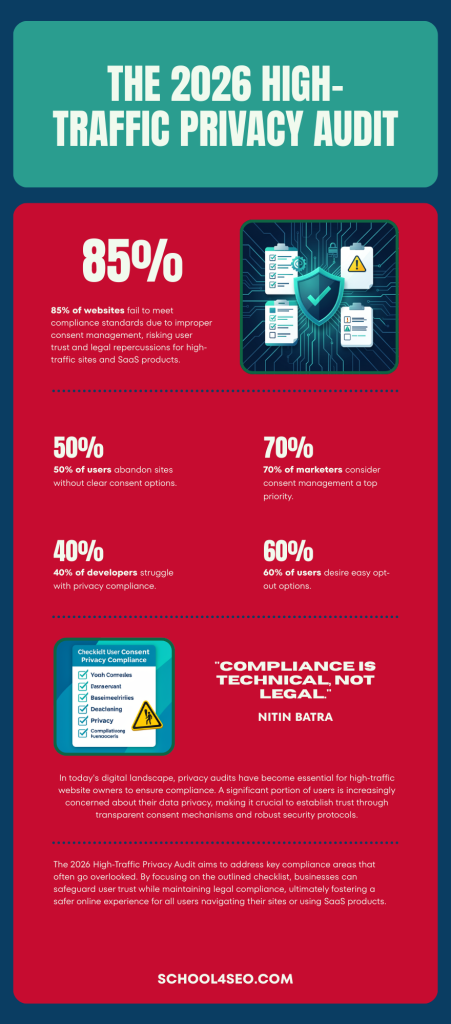
Conclusion: Compliance is a Technical Job, Not a Legal One
In 2026, you can’t just buy a “Privacy Policy” and call it a day. Privacy has become a technical discipline. If your backend doesn’t match your frontend, your high-traffic site is a ticking time bomb for fines and ad-account bans.
Stop Guessing. Get a Professional Audit.
I’ve spent the last three articles showing you the “how” and “why” of my own privacy-first setup. If this audit has revealed leaks in your current system, don’t wait for a regulator or a Google Ads ban to tell you.
I offer a Full-Site Privacy & Performance Audit for high-traffic owners. I will:
- Identify every active Shadow Tracker.
- Test your GCM v2 signals for accuracy.
- Implement an open-source, unlimited-traffic banner that eliminates your monthly fees forever.